Black Friday Deal: 20% off with voucher code: PIXELGUARD20  |  Ends in:

Smart AI Change Classification

You ran a check across 200 pages. 47 changes detected. 43 of them are slider rotations, ad banners, and cookie popups. Our AI knows that. It classifies every change so you only review what actually matters.

Alert Fatigue Death Spiral

You have a great visual comparison engine. It catches everything. And that’s the problem. Without something to triage the results, you’re buried in noise.

47 alerts, 3 real issues: You review them all manually. Hope you stay focused past alert #15.

Sliders, ads, cookie banners: Dynamic content changes on every page load. They flood your results with false positives.

The real bug at position #38: Client finds the broken footer before you do. Because you were on autopilot by then.
Isometric illustration showing stylized figures overwhelmed by stacked notification cards and floating alert icons

AI That Separates Signal from Noise

After our comparison engine detects changes, AI analyzes every single one. It classifies each change into one of three categories with plain-English description.

All Good: Dynamic content that changes on every page load. Sliders, ads, cookie banners, animations. No action needed.

Alert: Real changes the user needs to review. Text updates, broken layouts, missing images, navigation changes.

Not Sure: Ambiguous changes where AI lacks confidence. Flagged for your review rather than silently dismissed.

Isometric illustration showing AI filtering website changes with floating blue geometric shapes and UI cards

How AI Verification Works

Our comparison engine detects all differences. AI receives cropped change regions as three images (before, after, highlight), classifies each one, analyzes console logs for JavaScript errors, and generates a batch summary. Instead of 47 alerts, you get 3 alerts, 2 not sure, and 42 auto-filtered.
Isometric 3D illustration showing AI filtering visual alerts from 47 to 3 with floating geometric shapes

Smart Change Classification

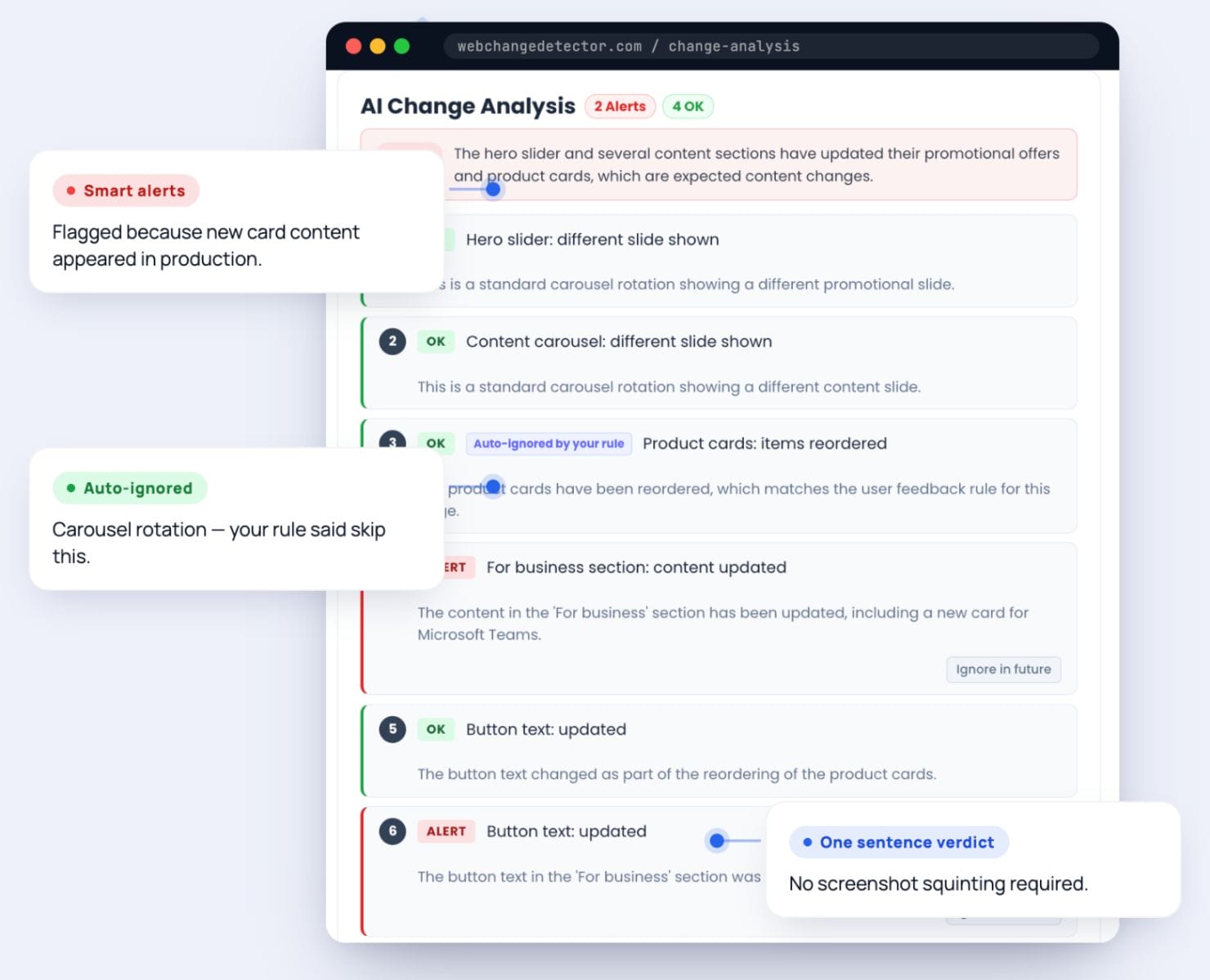
AI classifies every detected change as OK, Alert, or Unsure. Filters sliders, ads, cookie banners, and animations automatically.

No more
“2% changed”

Plain english which explains changes in every area

Feedback Rules

Teach AI what changes are expected on your sites

Console Analysis

Detect JavaScript errors alongside visual changes

Batch Summaries

AI-generated plain-language summary of check results

Real-World Results

See how AI verification transforms the review process for agencies managing multiple client websites.

Agency Monday Morning: 150 pages checked overnight. Without AI: 63 alerts, 90 minutes. With AI: 4 alerts, 2 not sure, 57 filtered. Review time: 8 minutes.

WooCommerce Update: AI flags broken card alignment as alert. Filters sale badge rotation as OK. Catches invisible TypeError in add-to-cart handler via console analysis.

The Carousel That Hid a Bug: Hero region 67% changed. AI verdict: carousel rotated (all_good, 0.92). But also: menu item removed (alert, 0.87). Noise and real issue, found in one pass.

Visual comparison dashboard showing 47 detected changes with AI-powered smart classification filtering

Frequently Asked Questions

Can the AI make mistakes?

Yes, which is why we include confidence scores and a “not_sure” category. When the AI is uncertain, it flags the change for your review rather than silently dismissing it.

How do feedback rules work?

Create a rule describing expected changes on your site by clicking the “ignore” button. The AI matches rules by meaning, not exact wording. Rules can apply to a single URL, a group, or an entire website.

Does AI verification cost extra?

AI verification is included in trial and all paid plans at no additional cost. No per-check AI fees.

Let AI Handle the Noise

Connect a site, run a check, and watch as AI classifies every change. You’ll wonder how you ever reviewed results manually.